A short love letter to syncthing (and laptops)
(This is NOT an April fools post, I just felt like blogging today)
TL;DR: syncthing is an amazing program, and if you have multiple computers, you should absolutely try it for syncing files between your computers!
I like laptops!
My girlfriend likes to tease me for my enjoyment of laptops. I watch laptop reviews online, I keep mostly up-to-date on the latest processors, GPUs, etc. etc. and I love scouring ebay for used laptops that I can put Linux on. I think laptops are fun.
Here are my laptops:
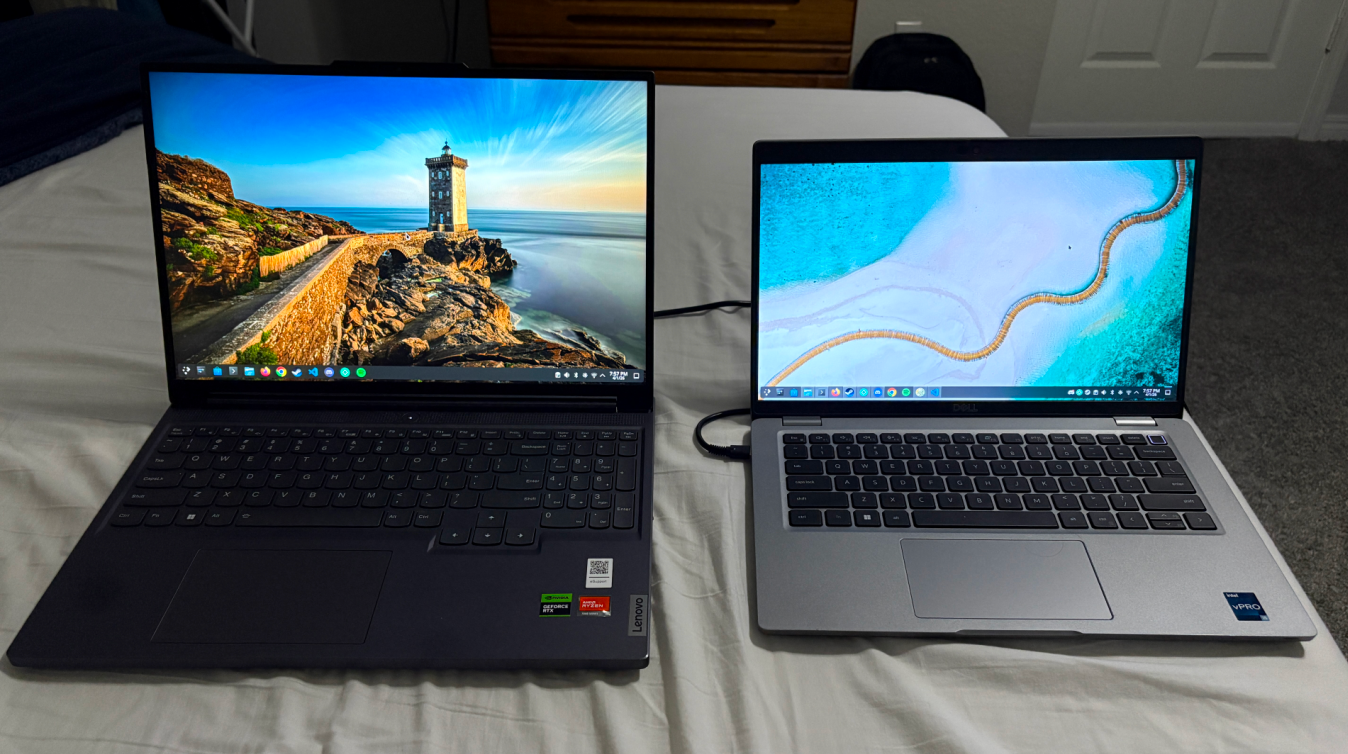
Pictured above are my two main laptops. On the left, my daily driver, the Lenovo Legion Slim 5 16APH8, with 16GB RAM, 1TB + 0.5TB drive, and a 16 inch 16x10 screen (bought from Best Buy). On the right, my lighter option, a used Dell Latitude 5430, with 16GB RAM, 0.5TB drive, and a 14 inch 16x9 screen. Both running Fedora Kinoite w/ KDE Plasma!
I have other laptops laying around, with various uses. I’ll list them below:
- An old ASUS Laptop I used in middle and high school, 8 GB RAM, 15.6 inch 16x9 screen. I think a 6th gen Intel mobile CPU? (It’s now my server computer!)
- An old Dell Latitude 2 in 1 with an Intel Core i5-8250u and 8GB of RAM, for the forseeable future, my girlfriend is using it as her main laptop, as in my opinion a chromebook is simply not enough.
- An old ASUS TUF Gaming laptop from my girlfriend, which has been gutted and turned into a console computer because the hinge was completely broken. (GTX 1060 3GB, 8GB RAM).
- SOLD: An old Lenovo Thinkpad T460 that my mom used to daily drive. I know everyone LOVES thinkpads, but I had no use for it.
Now that I’ve introduced you to my laptops, let’s actually talk about syncthing!
The problem:
I am going to be traveling a lot in April and May, including an upcoming trip to Japan with my family (a trip 5+ years in the making!). I’m super excited, but I realized that it doesn’t make a lot of sense to bring my big Legion laptop along with me. I won’t be doing much gaming (save for on the plane, perhaps), and it’s just so heavy (it weighs ~5.2lbs (2.4kg)!).
The problem is, I haven’t been using my other laptop all that much because all my stuff is on my main laptop. I realized that I usually don’t use my secondary laptop because all my Documents, Downloads, Pictures, etc. are on the Legion, and that makes me kinda a one laptop at a time person, despite having more than one at my disposal.
Enter, syncthing!
Syncthing is a peer-to-peer file synchronization program written in Go, and it rocks. It’s pretty easy to get set up, and I like peer-to-peer tech!
I set up syncthing to synchronize my Documents, Downloads, Pictures, and Videos between my Legion and my Dell laptop. Now when I travel, I will have all my stuff on the go!
Syncthing also excels in synchronizing game saves (for games not using Steam Cloud). For example, I have been getting into Switch games again, and I prefer to only keep one piece of tech around while traveling, so I have been playing Animal Crossing New Horizons and Super Mario Odyssey on the Eden Emulator!
NOTE: I own a Nintendo Switch and I own both these games. My personal philosophy on emulation is that either I have to own the game or the game has to no longer be sold in stores or online. For example, I’ve played Legend of Zelda: Ocarina of Time because I was not born in the N64 era, but I’d never emulate a Switch game I don’t own.
I have synchronized the emulated Switch’s NAND between my two laptops, and now I have the equivalent of the Steam Cloud but for my two laptops!
A way to make this setup more awesome (if you have a webserver) would be to set up syncthing online, or use Tailscale to connect to your local network machine to sync. This makes syncthing more like a Dropbox or Microsoft OneDrive replacement, for those who like that sort of thing. Me personally, I’m fine opening both laptops to facilitate sync whenever necessary.
In conclusion, syncthing my beloved <3