Reflections on KDE Linux from a long-time Fedora user
Hey everyone (yes, the 2 of you reading my blog posts), I’ve really felt like writing more in the last few days, probably because it feels like my dopamine levels are suuuper low and writing blog posts is an easy boost in feeling like I’ve “done something” :p
I started daily driving Linux at the end of 2023 (around November to be exact). I had asked the Godot Engine contributors chat which distro I should try, and I got mostly Fedora as an answer. This makes sense, as Fedora is one of the most popular distributions, and has mostly up-to-date packages, which I think the members of the Godot Engine particularly liked. Linux Mint was also mentioned, but many people pushed back on that as the packages are more out of date.
I had my apprehensions about the name Fedora, which I felt was a bit too much like this guy:

No hate to Fedoras, just not my vibe!
I’ve talked in the past about the history of my choice of IDE, and a little bit about KDE Linux in that same blog post. I think I kind of go in circles sometimes when writing these, I forget that I’ve written about KDE Linux so much already.
Since I’ve done the comparison of my IDEs used over time, here’s my equivalent for distributions:
- Distros I tried before sticking with Fedora (~2 days of experimenting)
- Linux Mint XFCE
- Linux Mint Cinnamon
- Fedora Workstation
- Brief stint on Pop!_OS and Ubuntu and Linux Mint
- Fedora Workstation
- OpenSUSE
- Fedora KDE
- Probably a ton more changing of DE here
- Fedora Silverblue
- Fedora Kinoite
- Fedora (On a custom COSMIC image I used to maintain, then donated to Universal Blue)
- Side note: Betcha didn’t know I used to be a member of ublue :p
- Fedora Atomic (Honestly I switched DE so much that I don’t remember which I was using at any given time)
- Settled on Fedora Kinoite/COSMIC for a while
- KDE Linux
I have tried other distros in VMs but never really got into them. I never thought I’d be running an arch derivative at any point, just because it’s a lot less batteries-included. KDE Linux happens to use arch as a base, and I do quite enjoy it!
Anyways time for my review of KDE Linux:
Review time - KDE Linux
1. Installation Experience
The installation of KDE Linux is almost* as easy as any other distribution. The installation instructions can be found here, and at the time of writing, there is no ISO to download, only RAW OS images. This means you have to be specific about which image writer you use to flash the image to a USB flash drive. I used ISO Image Writer from KDE itself, and the flashing was easy. Not every tool supports writing RAW images though.
The installer uses Calamares, which is my absolute favorite generic OS installer out there. One of my biggest gripes with Fedora is its use of the Anaconda installer, which is strictly worse than Calamares. For example, the partition configurator in Anaconda doesn’t allow you to create new subvolumes in existing btrfs partitions; rather, it requires you to create a completely new one, making it hard to use existing btrfs partitions in any capacity. Calamares doesn’t have this issue.
8/10 Installation experience, -2 points for the lack of an ISO image.
2. My User Experience
To properly grade this section, you need to understand how I use my system first.
- I browse the web, watch YouTube videos, Mastodon, etc. 10/10
- I run simple apps from Flathub, Discord, Element, Spotify, Chorme, Firefox. 10/10
- I play games
- I develop software
2.1 Gaming
Gaming on KDE Linux is as usable as I’ve always had it since moving to an immutable system.
- I install Steam from Flathub (still really hoping Valve takes over the Steam Flatpak one of these days).
- I download my games, sometimes to secondary drives, which required manual intervention on my system, exposing
/run/media/rbrue/d_driveto Steam through the KDE application settings.
- I play the games without issue
- I mod some games, requiring new
--filesystempermissions through the KDE application settings. My most common mod managers as of the last few years are r2modmanplus and outer wilds mod manager.
The experience is great, with the caveats that you have to take extra steps to make mods work. This is nothing new for modders, though. If specific flatpak instructions were given on these mod managers, I wouldn’t be upset. Perhaps I should make a PR one of these days to do that. Oh wait, I did already for the OWML. Open source mod managers are great, because we can contribute documentation for them on the fly.
I’d give the gaming experience an 8/10. For regular use (i.e. one drive, no modding), it’s flawless. It does take a bit more doing do get mods and extra drives working. Also, the Flatpak Steam is not official. Maybe one day, it will though..
2.2 Development
I should clarify that this is NOT coming from a “KDE Developer” perspective. Developing for KDE on this OS is a primary support goal, and as such it works great out of the box.
https://community.kde.org/KDE_Linux/Develop_KDE_software
With that out of the way, there are definitely some pain points to using KDE Linux as a developer. The type of developer you are will determine how many pitfalls you experience.
If you are a web developer, you will probably not feel the pain as much as if you are a C/C++ or Rust developer. Working with any compiled language, and languages that link to development libraries that may not be present on the host system, can be a HUGE pain.
The best solutions to the lack of a package manager (and the immutable paradigm) are largely documented at https://community.kde.org/KDE_Linux/Install_software_not_available_in_Discover#Software_not_listed_above which helpfully shows up when you try to run a command not present on your system in KDE Linux:

That’s the kind of user friendly touch I can really appreciate, as image based systems are not like your typical package managed Linux system. You can’t just dnf install <package>.
That being said, I personally use toolbox, which is preinstalled on KDE Linux, and provides a mutable package managed Fedora environment for me to hack on. It uses podman under the hood, and provides a reasonable level of host integration.
NOTE: Distrobox is also an option, but I find toolbox to be more familiar and breaks less for me. YMMV, I know a LOT of people like distrobox.
I have Visual Studio Code and Helix installed in the toolbox, and those are my primary editors. I also have VSCode installed as a flatpak, and I use that for my remote development needs (I have this cool webserver, you know).
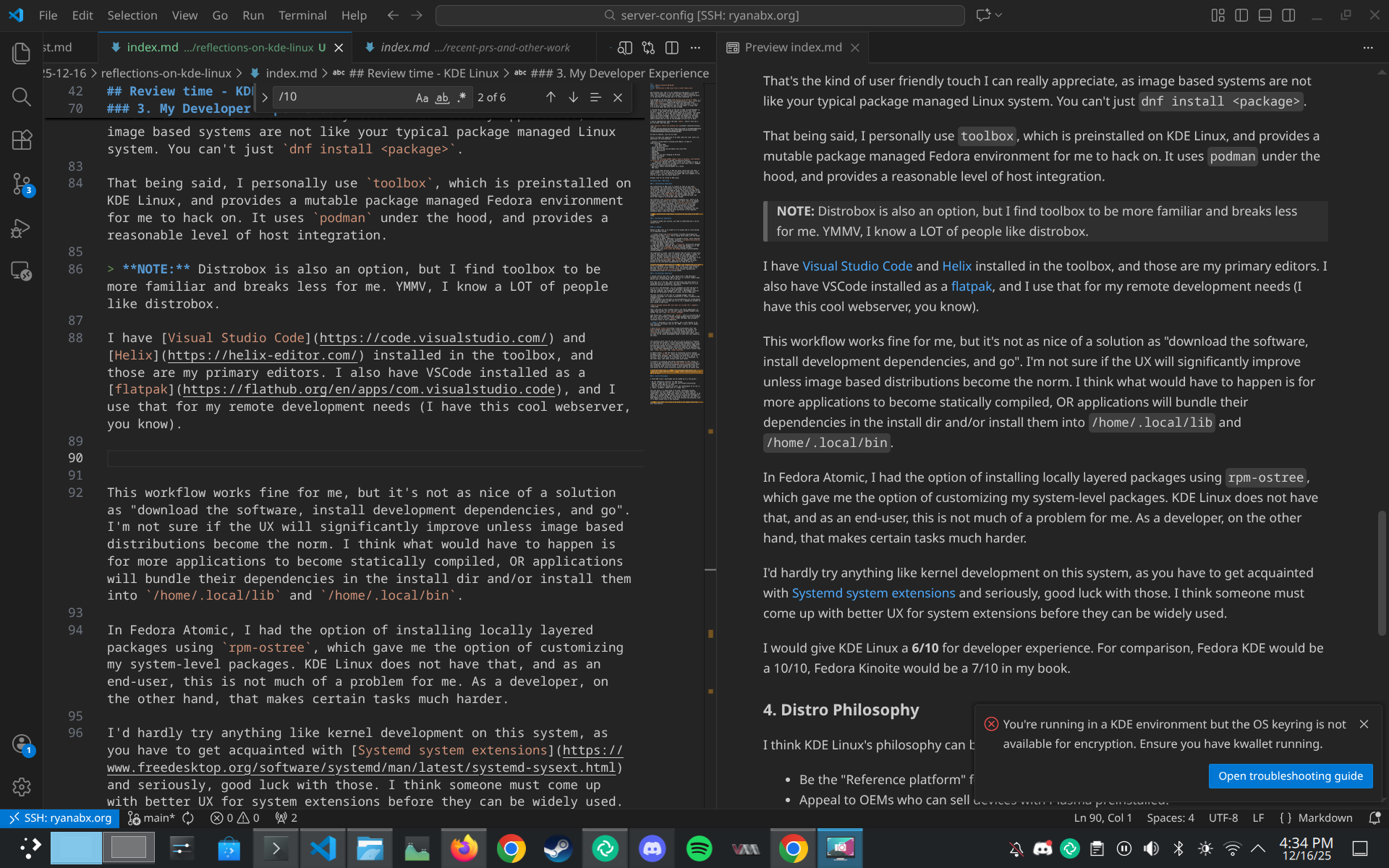
This workflow works fine for me, but it’s not as nice of a solution as “download the software, install development dependencies, and go”. I’m not sure if the UX will significantly improve unless image based distributions become the norm. I think what would have to happen is for more applications to become statically compiled, OR applications will bundle their dependencies in the install dir and/or install them into /home/.local/lib and /home/.local/bin.
In Fedora Atomic, I had the option of installing locally layered packages using rpm-ostree, which gave me the option of customizing my system-level packages. KDE Linux does not have that, and as an end-user, this is not much of a problem for me. As a developer, on the other hand, that makes certain tasks much harder.
I’d hardly try anything like kernel development on this system, as you have to get acquainted with Systemd system extensions and seriously, good luck with those. I think someone must come up with better UX for system extensions before they can be widely used.
I would give KDE Linux a 6/10 for developer experience. For comparison, Fedora KDE would be a 10/10, Fedora Kinoite would be a 7/10 in my book.
2.3 Hardware Support/Optimization
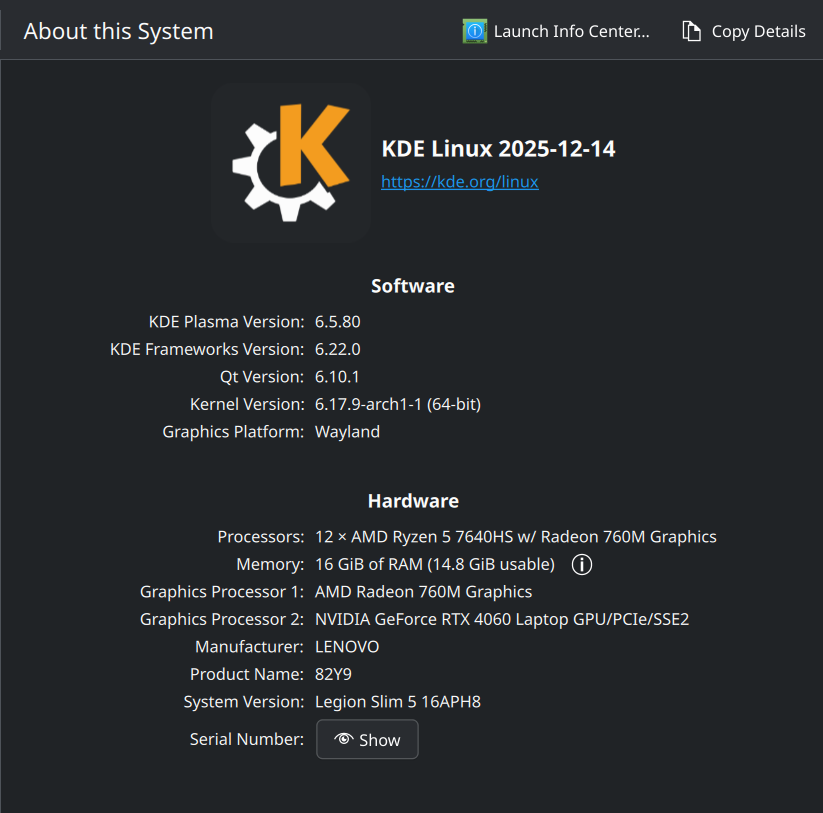
I have 2 x86_64 devices running KDE Linux:
- A Dell Latitude 5430 with Intel CPU and Intel iGPU
- A Lenovo Legion 16APH8 with a Ryzen CPU, Ryzen iGPU and Nvidia dGPU
My Dell machine works flawlessly besides not being able to figure out how to set up my fingerprint reader, but I never really wanted to figure that out anyways.
My Lenovo machine is a bit of a mixed bag. The Lenovo Legion platform support is still being worked on in the upstream kernel, so that’s not a fault of the distro; however, my nvidia card does have power saving issues compared to what I feel like I had on Fedora. I can’t dock too many points though, I would really have to double check instead of going off “vibes”.
That’s one of the problems with KDE Linux though, that since everything is still in an alpha stage, and the arch linux base only provides a minimal working system, we (as in the KDE Linux OS developers) have to become OS builders and figure out all the hardware quirks and configuration bits ourselves. This wouldn’t be a problem if we used Fedora as a base, but then we’d have to deal with more opinionated configurations by default.
(Also, KDE Linux only supports x86, and not ARM, RISC-V, or anything else. This is not a problem on Fedora, where even I have to painstakingly build COSMIC packages for not only ARM, but also PPC64le and S390x, which I don’t even know for sure what arches those are).
7/10. Most things work just fine, but there’s a plenty more to be done here.
3. Distro Philosophy
I think KDE Linux’s philosophy can be summed up to a few points:
- Be the “Reference platform” for KDE Plasma
- Appeal to OEMs who can sell devices with Plasma preinstalled.
- Use the latest KDE has to offer
- Embrace as much of systemd and other new technologies as we can (i.e. mkosi, sysupdate, homed once it’s ready, etc.)
The last point is a good thing in my book, oftentimes systemd technologies are well thought out, and are way simpler than the competition. They have done great things for the Linux desktop, in my book. They (systemd and KDE Linux) are also pushing the envelope for adoption of better things. Not everything is there yet, but there’s a huge emphasis on doing things in the most sensible way possible, even if it means things suck in the meantime.
10/10. No notes. It’s nice to be able to cut legacy crap from your distribution, and I like feeling like this is “stock” KDE.
4. Overall
I’d give this distro an 8/10 overall. I think it’s one of the freshest distros out there, but I still think Fedora would beat it out for most people. Not all the world is ready for KDE Linux, but I feel like most are. Most being your grandma or grandpa, any casual computer user.
Last but not least:

That’s all for now :)